Offline Desktop Billing Software

Fast, Reliable Store Billing That Runs Entirely on Your PC

Eliminate slow cloud delays and browser freezes. Invoicell is a Offline Windows software designed for high-speed retail checkout, GST invoicing, inventory tracking, and complete offline data privacy.

No monthly internet required Windows 10 & 11 Compatible
Invoicell Workstation
Invoicell Interface Preview
Click to Expand

Architecture & Reliability

Why Offline Desktop Software Is Still Superior for Busy Retail Counters

Cloud-based billing tools sound modern until the internet connection stutters during peak store hours. A 5-second loading spinner on every barcode scan creates long checkout queues, frustrated staff, and lost revenue. Invoicell brings the stability of native desktop computing back to your business.

Zero Internet Dependency

Invoicell runs completely locally. Internet shutdowns, weak Wi-Fi, or remote server outages will never stop your store counter from generating bills or processing sales.

100% Private Local Database

Your customer records, profit margins, daily revenue, and supplier bills remain stored securely inside your own hard drive rather than sitting on external third-party cloud servers.

Instant Thermal Printing

Direct connection with thermal printers (2-inch, 3-inch) and laser printers means bills print instantly upon hitting complete without annoying browser popups or print dialog delays.

Interface Preview

Designed for Simplicity & Fast Operations

Click on any screenshot below to view full-screen.

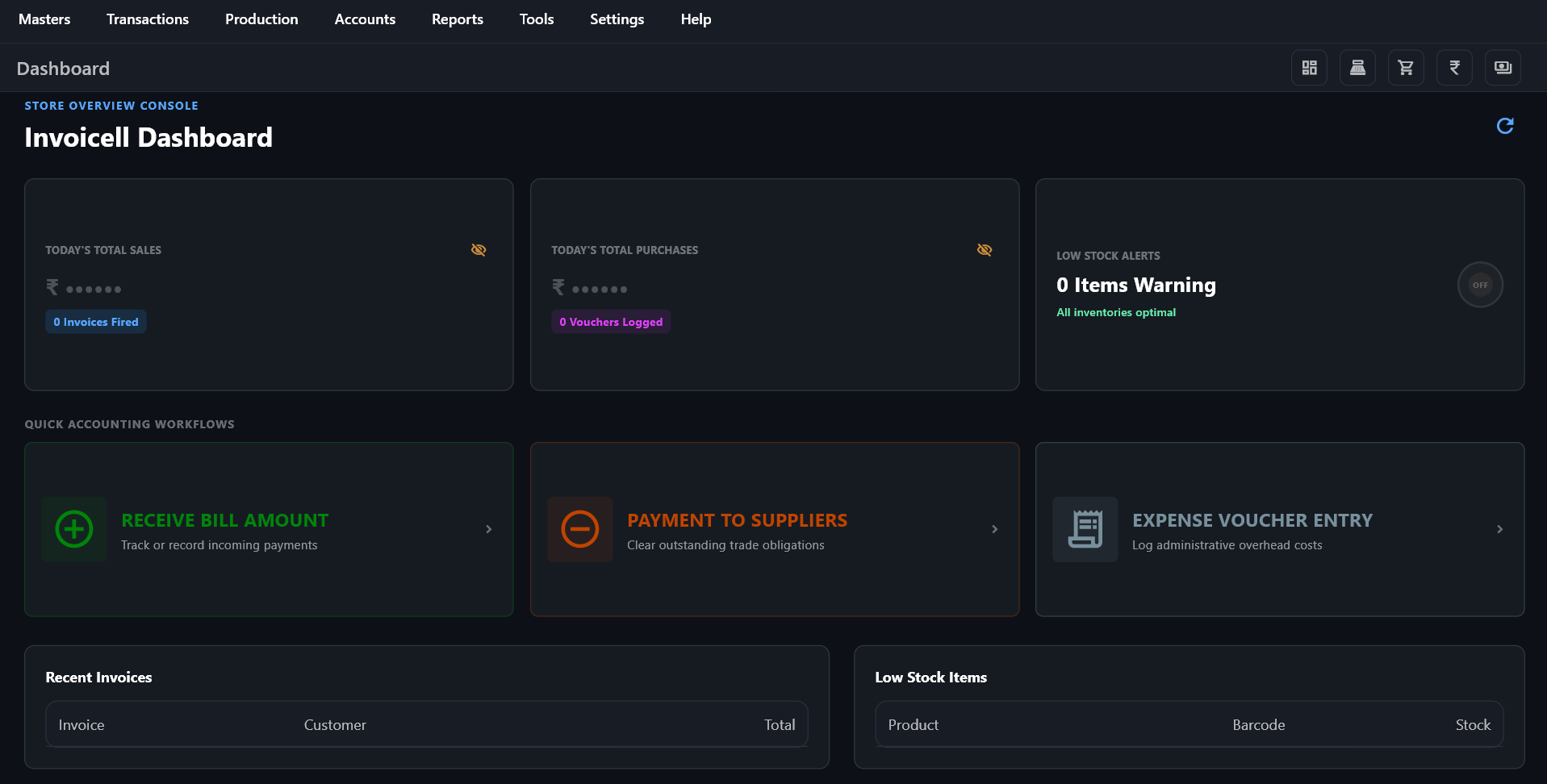
Management Dashboard Main Control Center
Invoicell Main Dashboard Interface
View Fullscreen

Real-Time Store Operations Dashboard

View total daily revenue, pending customer credit balances, low-stock inventory alerts, and quick action buttons all in one clear, intuitive central overview screen.

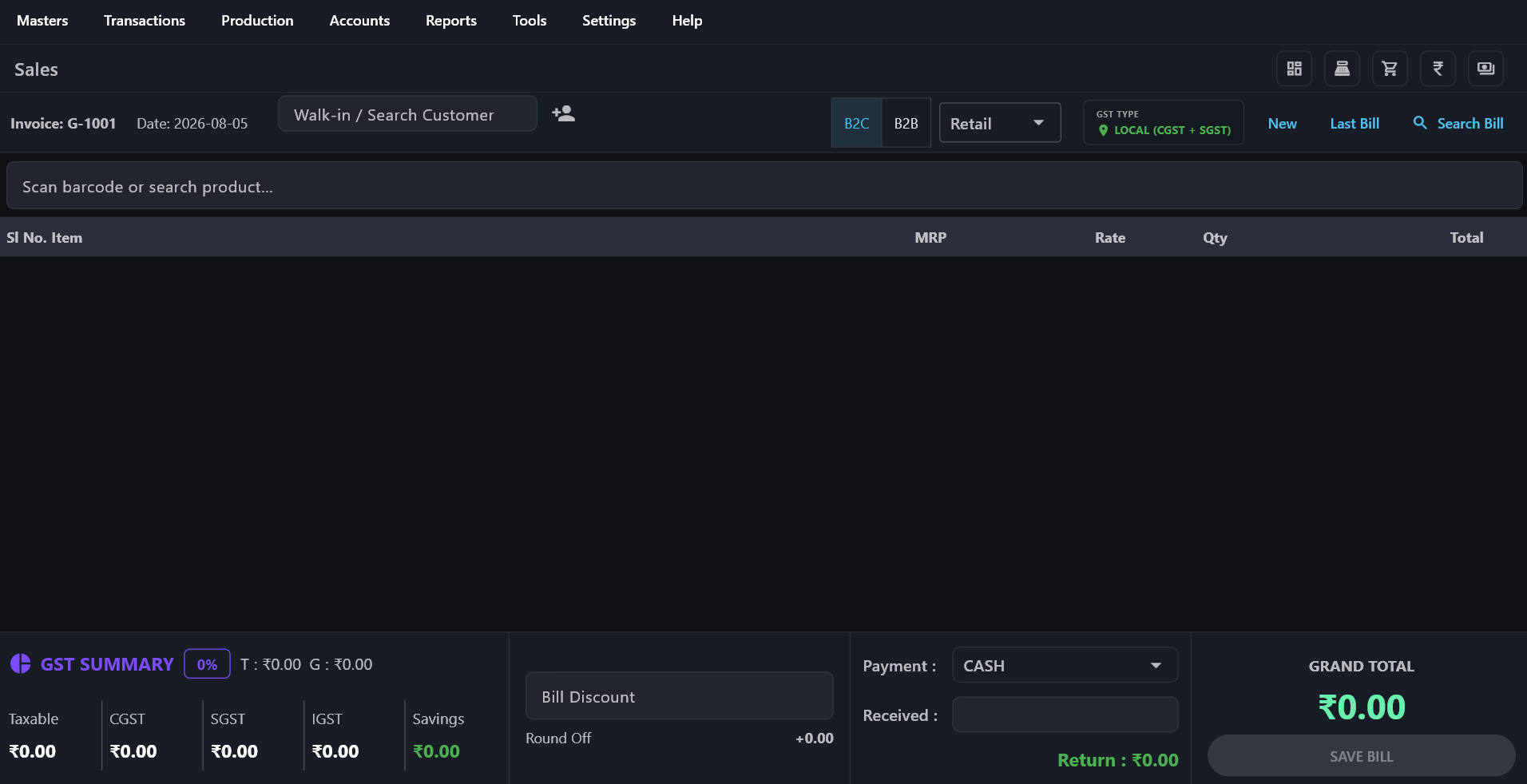
Sales & POS Billing Counter High-Speed Checkout
Invoicell POS Counter Interface
View Fullscreen

Fast Cashier Counter Terminal

Optimized for keyboard-first billing. Features quick barcode entry, automated tax splits (CGST/SGST), held transaction carts, and multiple payment options.

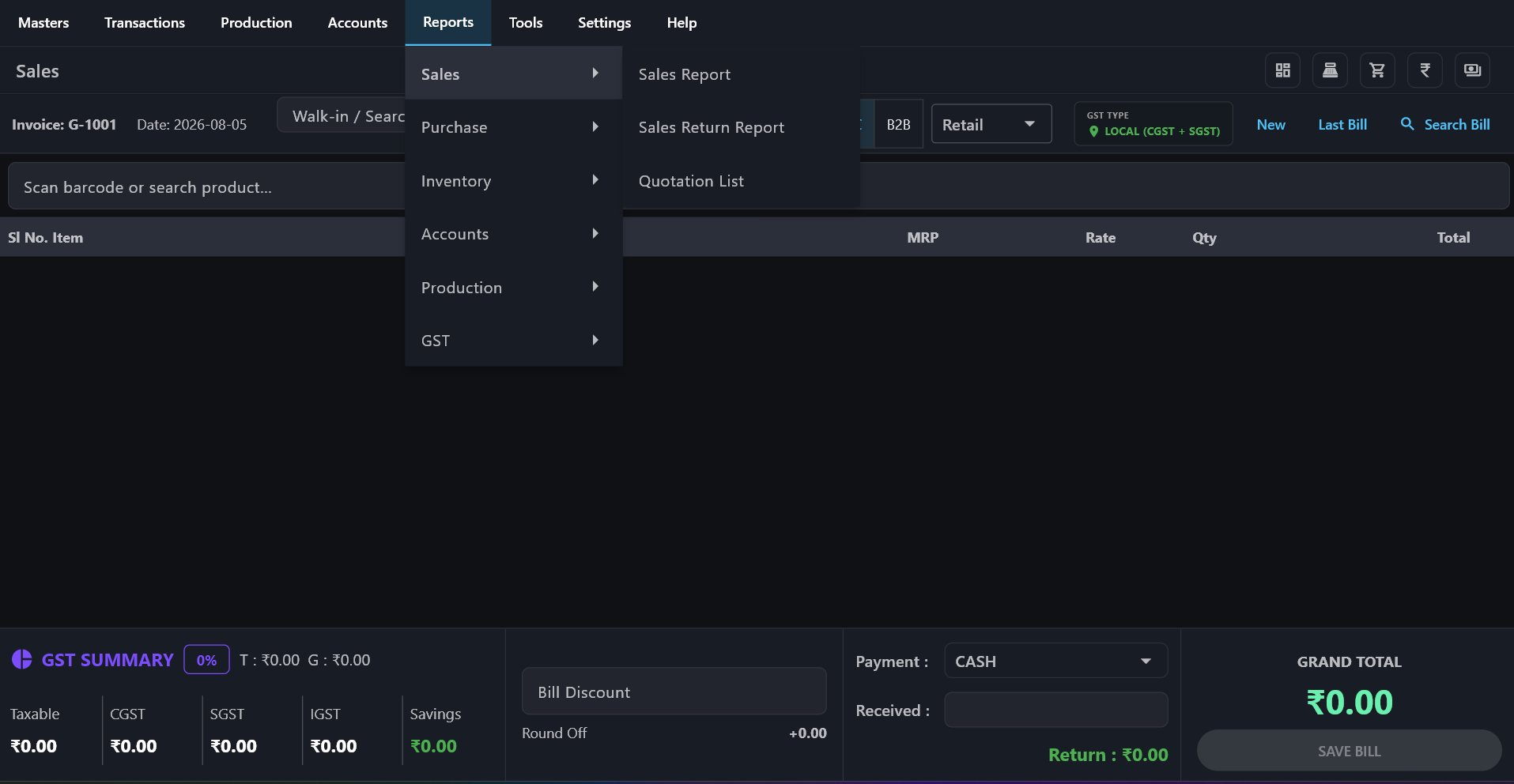
GST & Sales Analytics Financial Reports
Invoicell Reports Module Interface
View Fullscreen

Detailed Tax Statements & Profit Margins

Export GSTR-1 and GSTR-3B tax summaries, date-wise sale logs, item profit breakdowns, and cashier day-end cash register closing reports with 1-click.

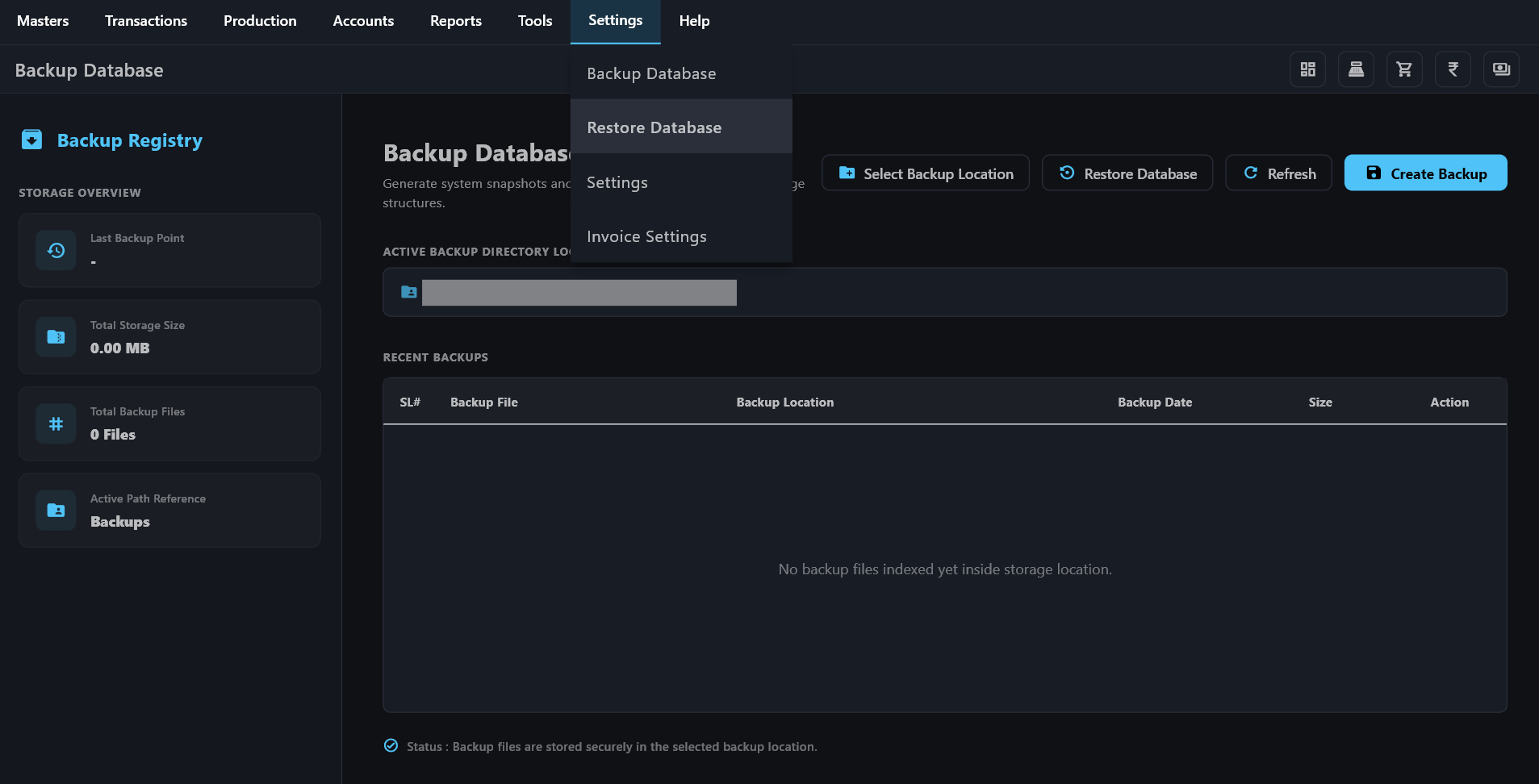
Local Backup & Security Data Vault
Invoicell Backup Module Interface
View Fullscreen

One-Click Database Export & Security

Complete control over your business records. Perform instant local backup copies to flash drives or local storage without third-party cloud dependency.

Complete System Overview

Core Features Built for Store Operations

Detailed workflows designed specifically for counter sales, warehouse management, and financial tracking.

High-Speed POS & Billing Counter

Built for speed with full keyboard shortcut mapping so cashiers can issue bills without reaching for a mouse. Supports barcode scanning, quick item searches, line discounts, held carts, and multiple payment split options (Cash, UPI, Card, Credit).

Key Capability: Custom tax splits (CGST, SGST, IGST) automatically applied per item category.

Stock & Inventory Control

Real-time stock deduction upon bill generation. Features low-stock alerts, damaged item adjustments, batch/expiry tracking, wholesale unit conversions, and bulk Excel import/export tools for quick catalog setup.

Key Capability: Built-in barcode label designer and price tag printing utility.

Customer & Credit Ledger (Udhar/Katha)

Maintain precise ledger accounts for regular customers. Set individual credit limits, track outstanding balances, record partial payments, and issue payment receipts with optional direct WhatsApp statement sharing.

Key Capability: Complete supplier account management for purchase entries and payouts.

Sales Analytics & GST Filing Reports

Generate instant daily closing collection summaries, profit & loss analysis, product-wise margin reports, and ready-to-file GSTR-1 and GSTR-3B tax statement summaries.

Key Capability: Filter analytics by date ranges, cash registers, or sales staff members.
International Tax Support

We Can Adapt Invoicell for Your Country's Tax System

If you are based outside India, we can customize Invoicell's tax settings, invoice format, and tax calculations to suit your country's requirements.

USA UK UAE Canada Australia Other Countries

Share your country and tax requirements with us, and we can help configure Invoicell to suit your business.

Discuss Your Tax Requirements

Versatile Business Support

Tailored for Local Retail & Wholesale Operations

Supermarkets & Groceries

Handles large SKU catalogs smoothly with instant barcode lookup and weighing scale integration.

Pharmacies & Medical Stores

Tracks drug batch numbers, handles expiry alerts, and prints formatted medical invoices easily.

Apparel & Footwear Outlets

Manages variant stocks (sizes, colors) and prints custom garment barcode tags directly.

Wholesale Distributors

Supports tiered wholesale pricing, multi-unit packaging (Box/Piece), and party credit limits.

Hardware & Electricals

Manages mixed fractional unit sales (meters, kg, pcs) alongside supplier purchase ledgers.

Restaurants & Cafes

Supports quick counter order tickets, takeaway receipts, and kitchen order printing (KOT).

Getting Started Guide

4 Simple Steps to Setup Your Counter PC

1

Download Package

Download `Invoicell_Setup.zip` directly onto your Windows billing computer drive.

2

Run Installation

Extract the archive, run the desktop installer, and complete the quick Windows setup.

3

Store Configuration

Fill in your business name, address, phone number, GSTIN tax details, and print preferences.

4

Issue Bills

Add or import your product stock list, connect your printer, and start generating invoices.

Ready to Install?

Get Invoicell for Your Windows PC

Download the full software installer directly or reach out to our team via WhatsApp to assist with installation, key activation, and hardware configuration.

System Requirements: Windows 10 or 11 (64-bit), 2 GB RAM, 200 MB Disk Space

Frequently Asked Questions

Answers regarding installation, security, and hardware compatibility.

Where are my sales bills and database files stored?

All bills, stock counts, and customer accounts reside locally inside an encrypted database file on your PC's internal storage drive. No financial records leave your store.

How does license activation work?

Your activation license key is securely linked to your store computer's unique hardware ID. Once activated, the desktop software runs permanently without requiring recurring internet checks.

What if Windows shows a SmartScreen protection prompt?

Since Invoicell is a offline desktop application, Windows Defender SmartScreen may display a standard unrecognized publisher notice. Simply click "More Info" and then select "Run Anyway" to complete the installation.

How can I back up my sales records?

Invoicell includes a built-in one-click backup tool that lets you export local database backups to an external USB flash drive or network folder whenever you choose.